How To & Tips
How to Keep Your Dolphin EON™ Performing at Its Best
23 November, 2026
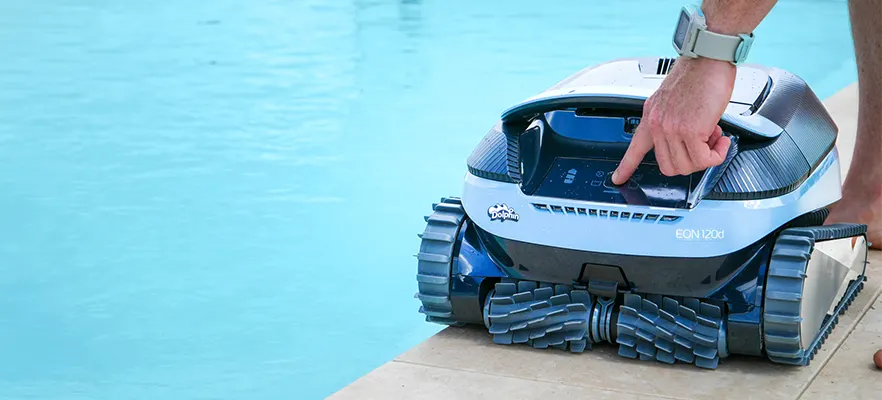
A little regular maintenance can make a big difference to the performance and longevity of your robotic pool cleaner. While the Dolphin EON™ is designed to make pool cleaning easier, knowing how to care for its filter, charging port and other components helps keep it working efficiently.
Whether you use your Dolphin EON™ as a cordless pool cleaner for everyday maintenance or rely on it to keep your pool ready for swimming, a few simple habits can help maintain its cleaning performance.
From cleaning the DebrisLock™ filter to correctly removing and charging your robot, here is how to keep your Dolphin EON™ performing at its best.
1. Clean the DebrisLock™ filter regularly
One of the most important maintenance tasks is keeping your Dolphin EON™ filter clean. The EON™ 120d cordless pool cleaner features patented DebrisLock™ backwash filtration, which captures ultra-fine particles and helps deliver up to four times clearer water while reducing the need for frequent manual filter cleaning. Although the system is designed to minimise maintenance, the filter should still be checked and rinsed when needed. Follow these steps to clean the Dolphin EON™ 120d DebrisLock™ filter:
Remove the robot from the pool. Once the cleaning cycle is complete, retrieve your Dolphin EON™ from the water.
Open the filter compartment. Access the compartment and carefully remove the DebrisLock™ filter.
Rinse both chambers. Use clean water to thoroughly rinse both filter chambers, removing leaves, dirt and fine debris.
Check for remaining debris. Inspect the filter and ensure any collected material has been removed.
Reinstall the filter. Once clean, securely return the filter to its compartment.
It is best to rinse the filter promptly after removing the robot from the pool. This prevents collected debris from drying and becoming harder to remove.
You can also use the Maytronics One™ app to check the filter level when your Dolphin EON™ is out of the water.
For a more detailed walkthrough, read our guide: How to Clean Your Dolphin EON™ 120d DebrisLock™ Filter.
2. Remove your Dolphin EON™ cordless pool cleaner from the pool correctly.
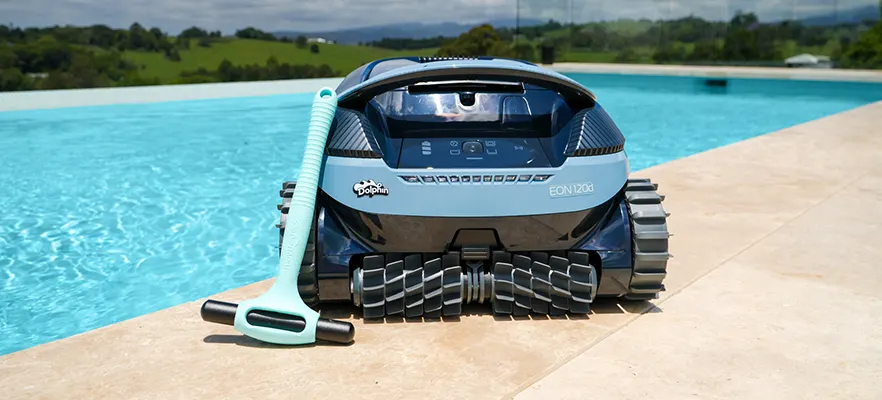
Removing your robotic pool cleaner correctly helps prevent unnecessary strain on its components and makes handling easier.
The Dolphin EON™ 120d includes a Click-Up™ sonic retrieval feature and Clicker to help bring the robot to your preferred pool wall when it is ready to be collected.
For easier retrieval:
Use the Clicker as instructed to guide the robot towards its preferred wall.
Once the robot reaches the wall, use the included Pick-Up Hook attached to a suitable telescopic pole to lift it out of the water.
Allow excess water to drain before handling or moving the cleaner.
Avoid pulling or lifting the robot by its brushes or other components.
The EON™ 100 is compatible with the Clicker as an optional accessory, while the EON™ 120d includes it.
Removing the robot after use also gives you an opportunity to inspect the filter and check for any debris that may need attention.
3. Keep the charging port clean and dry
Looking after the charging port is particularly important for a cordless pool cleaner like the Dolphin EON™. Because the robot operates in a wet environment, keeping its charging connection clean, dry and protected helps maintain reliable charging performance. Before charging your Dolphin EON™, follow these precautions:
Check that the charging port and charger connector are clean and completely dry.
Position the robot horizontally on a flat surface.
Charge the cleaner in a dry, shaded area.
Avoid exposing the charging connection to unnecessary moisture.
Once charging is complete, securely replace the protective charging port cover.
Always ensure the charging port cover is properly fitted whenever the robot is not charging. This helps protect the connection from moisture and debris.
What if you notice rust or corrosion on the charging port?
Minor surface discolouration or corrosion can sometimes develop on charging connections exposed to wet pool environments. This does not necessarily mean the charging performance has been affected.
If you notice rust or corrosion, it can usually be wiped clean. However, switch off the charger and avoid attempting to clean the electrical contacts yourself.
For further advice or assistance, contact Maytronics Customer Care or your authorised Dolphin dealer.
4. Charge your Dolphin EON™ pool vacuum correctly
Correct charging habits can help maintain your cordless pool cleaner's charging performance and ensure it is ready for its next cleaning cycle.
Before connecting the charger, make sure both the charging port and connector are completely dry. Position the robot horizontally on a flat surface in a dry, shaded location.
Connect the charger and allow the robot to charge according to the manufacturer's instructions.
For the EON™ 100 and EON™ 120d, the charging indicator should show all three bars as solid green when the battery is fully charged.
Once charging is complete:
Disconnect the charger from the robot.
Disconnect the charger from the electrical outlet.
Securely refit the protective charging port cover.
Avoid charging the robot while the charging connection is wet or exposed to moisture. If you are unsure about the charging process, refer to your model's user manual.
5. Rinse and inspect your Dolphin EON™ pool cleaner after use
Pool water contains chlorine, salt and other chemicals that can gradually leave residue on pool equipment. Regularly rinsing your Dolphin EON™ with fresh water helps remove residual pool water and keep its exterior clean.
After removing the robot from the pool:
Rinse the exterior with fresh water when required.
Check the brushes for trapped leaves, hair or other debris.
Inspect the tracks and moving components for visible obstructions.
Check the body for accumulated dirt or residue.
Allow the robot to drain before storing or charging it.
Pay particular attention to the brushes and moving components. Removing trapped debris helps maintain the robot's ability to grip pool surfaces and clean effectively.
Avoid using harsh cleaning products or abrasive materials. Always follow the care instructions in your Dolphin EON™ user manual.
6. Store your Dolphin EON™ in a suitable location
Proper storage is another important part of maintaining your robotic pool cleaner.
When your Dolphin EON™ is not in use, keep it in a dry, shaded location away from direct sunlight and harsh weather conditions.
For better long-term care:
Store the robot away from direct sunlight and excessive heat.
Keep it in a dry, protected area.
Ensure the charging port cover is securely fitted.
Avoid placing heavy objects on top of the cleaner.
Keep the charging equipment protected from moisture.
Although Dolphin robotic pool cleaners are designed for use in swimming pools, leaving them submerged for extended periods is not recommended.
Removing and storing your cleaner appropriately helps protect its components and keeps it ready for future cleaning cycles.
7. Use the Maytronics One™ app to monitor performance
The Maytronics One™ app makes managing your Dolphin EON™ easier by providing access to useful cleaning and maintenance features.
Depending on your model, you can use the app to:
Select different cleaning modes.
Schedule cleaning cycles.
Monitor filter level status.
Check battery status.
View pool water temperature.
Set your preferred Homing Wall.
Access troubleshooting assistance.
The EON™ 100 and EON™ 120d also feature UltraRun™ scheduling, which allows extended cleaning schedules without needing to recharge after every cycle. The EON™ 100 can remain in the pool for up to one week, while the EON™ 120d supports up to 2.5 weeks of scheduled cleaning on a single charge.
Checking the app regularly helps you stay informed about your robot's status and manage its cleaning schedule according to your pool's needs.
8. Follow a regular maintenance routine
A consistent maintenance routine helps keep your Dolphin EON™ operating efficiently throughout the swimming season.
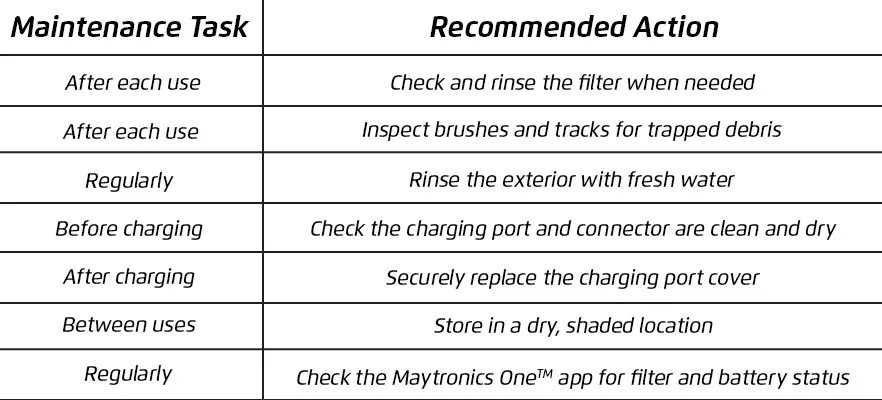
Here is a simple checklist to follow:
The amount of maintenance required will depend on how frequently you use your pool, the amount of debris it collects and seasonal conditions.
Keep Your Dolphin EON™ Ready for Every Clean
The Dolphin EON™ is designed to simplify pool maintenance through intelligent navigation, cordless operation and advanced filtration technology. However, regular care remains important for maintaining its cleaning performance.
By keeping the DebrisLock™ filter clean, protecting the charging port, removing the robot correctly and storing it in a suitable location, you can help keep your robotic pool cleaner performing at its best.
A few simple maintenance habits can make pool care easier and help you get more from your Dolphin EON™.
For additional maintenance advice, product support or assistance, visit Maytronics Australia or contact your nearest authorised Dolphin dealer.
Pool Cleaner
pool vacuum
robotic pool cleaner