How To & Tips
Dolphin Pool Cleaner Not Turning On? Here’s How to Check the Power Supply
30 April, 2026
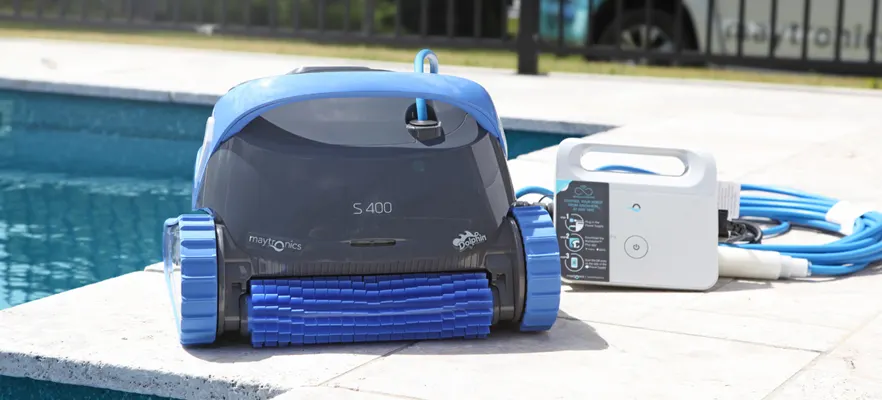
If your Dolphin pool cleaner won’t turn on or isn’t responding at all, the issue is often the power supply.
Before assuming there’s a fault with the robot itself, there are a few simple checks you can do to identify whether the problem is with the power supply, cable, or the cleaner.
This guide walks you through how to troubleshoot your robotic pool cleaner step by step, so you can get your pool vacuum back up and running quickly.
How to Test a Dolphin Pool Cleaner Power Supply
How To Test A Maytronics Dolphin Pool Cleaner Power Supply
Why the Power Supply Is Important
The power supply is what delivers safe, low-voltage power to your robotic pool cleaner. If it’s not working correctly, your pool cleaner simply won’t run. Common signs of a power-related issue include:
Your pool cleaner won’t turn on
No lights appear on the power supply
The robotic pool cleaner has no power at all
Step 1: Check the Power Outlet
Start with the simplest fix.
Plug the power supply into a known working outlet. Test the outlet by plugging in another device, like a phone charger or hair dryer.
If the outlet isn’t working, the issue isn’t your pool cleaner — it’s the power source.
Step 2: Inspect the Power Supply Take a close look at the power supply unit.
Check for:
No lights when you press the power button
Loose or disconnected cables
Visible damage or wear
Signs of water exposure
Make sure:
The main power cable is firmly connected
The floating cable from the robotic pool cleaner is securely plugged in
Loose connections are a common reason a pool vacuum won’t start.
Step 3: Test the Voltage Output
If the unit powers on but your pool cleaner still isn’t working, the next step is to test the output.
If you have a multimeter:
Turn the power supply on
Set the multimeter to DC voltage
Test the output pins on the connector
A working Dolphin power supply typically outputs around 29V DC.
If there’s no reading or the voltage is too low, the power supply may need replacing.
Step 4: Disconnect the Cable to Isolate the Issue
This quick test helps narrow down the cause.
Disconnect the floating cable from the power supply, then turn the unit on.
If the power supply turns on normally → the issue may be with the cable or the robotic pool cleaner
If it still doesn’t turn on → the power supply is likely faulty
Step 5: Check the Floating Cable
The cable connecting your pool cleaner to the power supply can also cause issues.
Look for:
Intermittent power
The cleaner stopping and starting
Visible wear or damaged connectors
A damaged cable can interrupt power to your robotic pool cleaner, even if the power supply is working.
Step 6: Check the Pool Cleaner Itself
If the power supply and cable are working, the issue may be inside the cleaner.
Check for:
Debris stuck in the impeller
Blocked brushes or tracks
Anything preventing movement
Sometimes a simple blockage can stop your pool vacuum from operating properly.
When to Replace the Power Supply
You may need to replace the power supply if you notice:
No lights or response at all
Incorrect or no voltage output
Ongoing power interruptions (power light switching off)
Visible damage
Replacing the power supply is often a quicker and more cost-effective fix than replacing the entire pool cleaner.
Tips to Prevent Power Issues
To keep your robotic pool cleaner running smoothly:
Keep the power supply dry and out of direct rain
Store it in a shaded, well-ventilated area
Do not use extension cords
Regularly check cables and connections
Keep all connectors clean and dry
Get Your Pool Cleaner Back Up and Running
Most power issues with a robotic pool cleaner can be identified in just a few minutes with some simple checks.
By testing the outlet, inspecting the power supply, and checking the cable, you can quickly work out whether the issue is with the power source or the cleaner itself.
If you’ve worked through these steps and your pool cleaner still isn’t running, it may be time to replace the power supply or contact an authorised service centre for further support.